

An actively exploited ScreenConnect flaw affects remote-support clients. Learn what healthcare organizations should verify with their IT providers now.

When a healthcare system stops wo rking, the first question is not always, “How do we fix the computer?” The first questions are: Can employees continue caring for patients safely? Which services are affected? Who is coordinating the response? Could this be a cybersecurity incident? What information must be preserved? How will staff receive reliable instructions? A short outage can affect scheduling, medication information, clinical documentation, laboratory orders, referrals, billing, communications, and access to patient records. The first hour should be organized around care continuity, controlled technical response, clear communication, and accurate documentation. Quick Answer: What should a healthcare organization do during the first hour of an IT outage? Confirm the scope, protect urgent patient-care functions, appoint one response leader, contact the approved IT or vendor representative, activate the appropriate downtime procedures, preserve relevant information, and issue one clear internal update. Do not let every employee troubleshoot independently. Avoid unnecessary reboots, password changes, software removal, or disconnected equipment until someone has determined whether the event is an ordinary failure, vendor outage, network problem, or possible security incident. This guide is a practical starting point. Each organization should adapt it to its systems, clinical responsibilities, staffing, vendors, contracts, and emergency procedures. Before using this guide If the disruption creates an immediate threat to life or patient safety, follow the organization’s emergency clinical procedures and contact emergency services when appropriate. Technology troubleshooting must not delay urgent care. An IT outage does not automatically mean a cyberattack. Possible causes include: Internet or power failure Vendor service disruption Equipment malfunction Expired certificate or license Failed update Authentication problem Network configuration error Accidental change Malicious activity Treat the cause as unknown until it is reasonably established. Minutes 0–10: Recognize, protect, and report 1. Confirm what employees are seeing Ask for observable facts: Which system is unavailable? When was the problem first noticed? Is it affecting one user, one location, or everyone? Is the internet working? Are telephones working? Are users receiving an error message? Are files missing or renamed? Did anyone receive a suspicious prompt, email, call, or login request? Did a vendor announce an outage? Are medical devices or medication workflows affected? Record the exact wording of error messages when possible. A photograph may be useful if it does not expose patient information. Avoid declaring the event “ransomware,” “a breach,” or “just an internet problem” without evidence. 2. Protect immediate patient-care functions The clinical or operational leader should determine whether staff can safely continue normal work. Check critical functions such as: Patient identification Current medications and allergies Urgent orders and results Prescription handling Clinical documentation Scheduling and patient contact Laboratory and imaging workflows Communication between care teams Access to emergency information If required information is unavailable, activate the applicable clinical escalation or emergency procedure. 3. Report through the approved support channel Employees should contact the organization’s established IT representative, managed service provider, internal support contact, or affected vendor. Use a known telephone number or support portal. Do not rely on contact information supplied in an unexpected email, text message, pop-up, or telephone call. The initial report should include: Reporter’s name and callback number Affected location System or device Time first noticed Number of affected users Patient-care impact Exact symptoms Actions already taken Suspicious activity, if any Minutes 10–20: Establish control 4. Appoint one incident coordinator One person should coordinate the organization’s response. Depending on the organization, this may be: Practice administrator Executive director Clinical supervisor Privacy or security representative Internal IT lead Designated continuity coordinator This person does not need to repair the system. The role is to coordinate decisions, communications, priorities, and documentation. Identify backups in case the primary coordinator is unavailable. 5. Open an incident record Start a written record immediately. Paper may be necessary if normal systems are unavailable. Record: Date and time Person reporting Systems and locations affected Known operational impact People contacted Instructions received Decisions made Temporary procedures activated Changes performed Time of each update Unanswered questions Separate confirmed facts from assumptions. A clean timeline is valuable for technical recovery, leadership review, insurance coordination, vendor follow-up, and any later privacy or legal assessment. 6. Establish a trusted communication method Choose one approved method for staff updates. Possible options include: Telephone tree Approved text-notification system Alternate email service Printed instructions In-person unit or department briefings Predefined emergency communication platform Do not discuss patient details in an unapproved communication channel. Employees should know: Where updates will come from Who is authorized to issue instructions When the next update is expected Where questions should be directed Which temporary procedures are active Minutes 20–30: Stabilize and preserve 7. Prevent uncontrolled troubleshooting Ask employees to stop taking independent corrective actions unless directed by the response lead or technical representative. Uncoordinated actions may: Erase useful evidence Spread malicious activity Interrupt working systems Complicate restoration Create conflicting configuration changes Delay diagnosis Disconnect equipment needed for patient care Do not broadly instruct employees to unplug everything. Isolation decisions should consider both technical risk and clinical impact. 8. Preserve relevant information Where safe and practical, retain: Error messages Alert emails Suspicious messages or telephone details Login notifications Screenshots without unnecessary patient information Device names Usernames involved IP or network information supplied by IT Vendor notices Support-ticket numbers Times of observed events Names of people who performed technical actions Do not forward suspicious attachments or links to coworkers. Use the organization’s approved reporting method. 9. Determine whether specialized escalation is needed Technical personnel should assess whether signs point to: A local device failure Network or internet outage Microsoft 365 or identity disruption EHR or vendor outage Account compromise Malware or ransomware Unauthorized administrative change Data loss Power or facility problem If malicious activity is suspected, activate the organization’s security-incident process. Appropriate leadership, cyber-insurance, privacy, legal, law-enforcement, or regulatory contacts may need to become involved based on the facts and established procedures. Vault can support operational coordination and technical incident management, but legal determinations, breach-notification decisions, forensic investigations, and law-enforcement matters require the appropriate qualified resources. Minutes 30–45: Activate downtime operations 10. Move staff to approved temporary procedures A healthcare downtime plan should identify how essential work continues when normal systems are unavailable. Procedures may cover: Patient check-in Identity verification Appointment lists Medication and allergy information Clinical notes Orders and referrals Prescription requests Laboratory and imaging work Billing and payment collection Patient communications Care-team handoffs Home-health schedules Hospice coordination Assisted-living or senior-care documentation Use approved forms and procedures. Improvised notes on loose paper can create privacy, accuracy, and reconciliation problems. 11. Identify the most critical systems Not every system should receive equal restoration priority. Consider: Immediate patient-safety functions Clinical communications Identity and access services EHR and medication-related systems Network and internet connectivity Laboratory, imaging, and prescribing connections Scheduling and patient communications Billing and administrative services The correct order depends on the organization. HHS contingency-planning guidance addresses application and data criticality analysis—determining which applications and information are most important to patient care and business operations so recovery can be prioritized appropriately. 12. Coordinate with affected vendors If a hosted platform or external service may be involved, contact the vendor through a verified channel. Ask: Is there a confirmed service disruption? Which products, locations, or customers are affected? When did the disruption begin? Is the event operational or security-related? Are customer actions required? Should credentials or integrations be changed? Is there a temporary workaround? When is the next update? What ticket or incident number should be recorded? Do not accept “everything is fine” or “we are investigating” as the final record. Request written follow-up as facts become available. Minutes 45–60: Brief leadership and set the next checkpoint 13. Prepare a short situation report The response coordinator should provide leadership with a concise update: What happened: Confirmed symptoms and start time What is affected: Systems, locations, and users Patient-care impact: Current clinical and operational consequences What is working: Available systems and workarounds What has been done: Contacts, containment, and downtime actions What remains unknown: Cause, duration, data impact, or restoration time What is needed: Decisions, resources, or external support Next update: Specific time or triggering event Avoid filling gaps with guesses. 14. Confirm responsibility for the next phase Before the first hour ends, assign owners for: Technical diagnosis Clinical operations Staff communications Vendor coordination Incident documentation Leadership updates Privacy and legal escalation, if needed Insurance notification, if applicable Recovery validation Reconciliation of temporary records One person may hold several roles in a small organization, but the responsibilities should still be named. 15. Set a firm update schedule Even if there is no resolution, staff should receive updates at predictable intervals. A useful message answers: Is the system still unavailable? Are current downtime procedures unchanged? Has the affected scope changed? Is there a new safety or security instruction? When will the next update arrive? Silence encourages rumors and independent troubleshooting—two commodities rarely in short supply during an outage. What employees should not do Unless specifically directed by an authorized responder, employees should not: Repeatedly restart computers or network equipment Delete suspicious messages Run unapproved cleanup tools Install software Change settings Reset passwords across the organization Use personal email or consumer file-sharing services Photograph patient information Post outage details on social media Contact unverified “support” numbers Reconnect isolated equipment Discard temporary clinical records after service returns A password reset may be appropriate in some incidents, but indiscriminate resets can disrupt response work and may not revoke an attacker’s existing session. Why this matters to healthcare organizations Independent medical and dental practices A small practice may have only one administrator and one outside technology provider. A one-page first-hour checklist can prevent the response from depending entirely on one person’s memory. Hospice and home-health providers Employees may be dispersed across homes and care locations. The plan must explain how schedules, patient contacts, documentation, and clinical escalation continue when cloud or mobile systems fail. Assisted-living and senior-living organizations Technology outages may cross shifts and affect medication-related workflows, documentation, communication, and resident support. Handoffs must include the outage status and temporary procedures. Outpatient clinics An EHR, internet, identity, or telephone disruption can affect nearly every patient encounter. Front-desk, clinical, administrative, and technical personnel need coordinated instructions. Small healthcare organizations Smaller organizations may not have separate security, privacy, legal, clinical-operations, and IT teams. That makes clearly assigned roles more important, not less. Build the first-hour kit before an outage Keep a protected printed or offline kit containing: One-page first-hour checklist Incident-record form Current IT and vendor contacts Leadership call tree Cyber-insurance contact and policy number Approved downtime forms Critical-system priority list System and application owners Alternate communication instructions Emergency-access procedure Locations of backups and recovery documentation Instructions for reconciling temporary records Date the kit was last reviewed and tested Do not place passwords, recovery keys, or sensitive configuration details in an openly accessible binder. Protect, Operate, Recover, and Grow Protect Maintain MFA and individual accounts. Separate administrative access from ordinary work. Keep systems patched and supported. Protect backups from routine user access. Monitor critical systems and vendor services. Train employees to report unusual activity quickly. Operate Maintain current support contacts. Document system dependencies. Rank applications by clinical and operational importance. Keep approved downtime forms accessible. Define response authority and communication channels. Review vendor notification procedures. Recover Validate systems before returning them to normal use. Confirm that restored information is complete and usable. Reconcile paper or temporary records. Preserve the incident timeline and vendor communications. Monitor for recurring errors or suspicious activity. Communicate clearly when normal operations resume. Grow Conduct a short after-action review. Record what worked and what failed. Assign owners and deadlines for improvements. Update the downtime plan and contact list. Test the revised procedure. Include continuity gaps in technology planning and budgeting. The bottom line The first hour of a healthcare IT outage should not be improvised. A strong response protects patient care, establishes one decision structure, brings in verified technical support, preserves useful information, activates documented downtime workflows, and keeps employees informed. Prepare four things now: A named response coordinator A verified contact list A one-page first-hour checklist Usable clinical downtime procedures The technology may still fail. The organization’s ability to respond does not have to fail with it. Frequently asked questions What is the first action during a healthcare IT outage? etermine whether patient care is immediately affected, then report the outage through the approved technical-support channel. Urgent clinical and safety procedures take priority over routine troubleshooting. Does every IT outage indicate a cyberattack? No. Outages can result from equipment, power, internet, software, configuration, identity, or vendor failures. Treat the cause as unknown until it is reasonably established. Should employees unplug computers during a suspected cyber incident? Not automatically. Disconnecting a device may sometimes be appropriate, but it can also affect patient care or remove useful technical information. Employees should follow the approved incident procedure or directions from an authorized responder. Should a healthcare practice call its cyber-insurance carrier? Follow the policy’s notification requirements and the organization’s incident procedure. Some policies require early contact or approval before engaging certain vendors. Keep the current policy number and contact instructions in the protected response kit. What should be documented during an outage? Record times, symptoms, affected systems, patient-care impact, people contacted, instructions received, actions taken, temporary procedures, vendor statements, decisions, and unresolved questions. When can staff return to normal systems? Return only after the responsible technical and operational leaders confirm that the systems are available, safe to use, and ready for clinical operations. Temporary records must then be reconciled through an approved process. How often should a healthcare downtime plan be tested? Use a risk-based schedule and test often enough to keep contacts, roles, forms, and procedures workable. Testing should also occur after significant system, vendor, staffing, or workflow changes and after an actual disruption. Strengthen your healthcare technology readiness Vault Technologies helps healthcare organizations document critical systems, organize vendor dependencies, improve Microsoft 365 and endpoint administration, develop practical downtime procedures, plan backup and recovery, and strengthen incident-management readiness. Our nurse-led perspective keeps the response focused on the essential outcome: maintaining safe, reliable patient care while technology is restored. Request a complimentary Technology Health Assessment to establish a practical baseline across systems, access controls, vendor dependencies, documentation, backup planning, and care-continuity readiness. The assessment is a planning tool. It is not a legal opinion, compliance certification, penetration test, forensic investigation, or guarantee against cyber incidents. Authoritative sources NIST — SP 800-61 Revision 3: Incident Response Recommendations and Considerations for Cybersecurity Risk Management , published April 3, 2025. NIST — Announcement of revised incident-response guidance , published April 3, 2025. HHS — Summary of the HIPAA Security Rule , updated August 7, 2026. HHS — HIPAA Security Series: Administrative Safeguards , published May 2005 and revised March 2007. HHS 405(d) — Health Industry Cybersecurity Practices: Managing Threats and Protecting Patients , 2023 edition. HHS 405(d) — Patient Safety , published June 28, 2023.
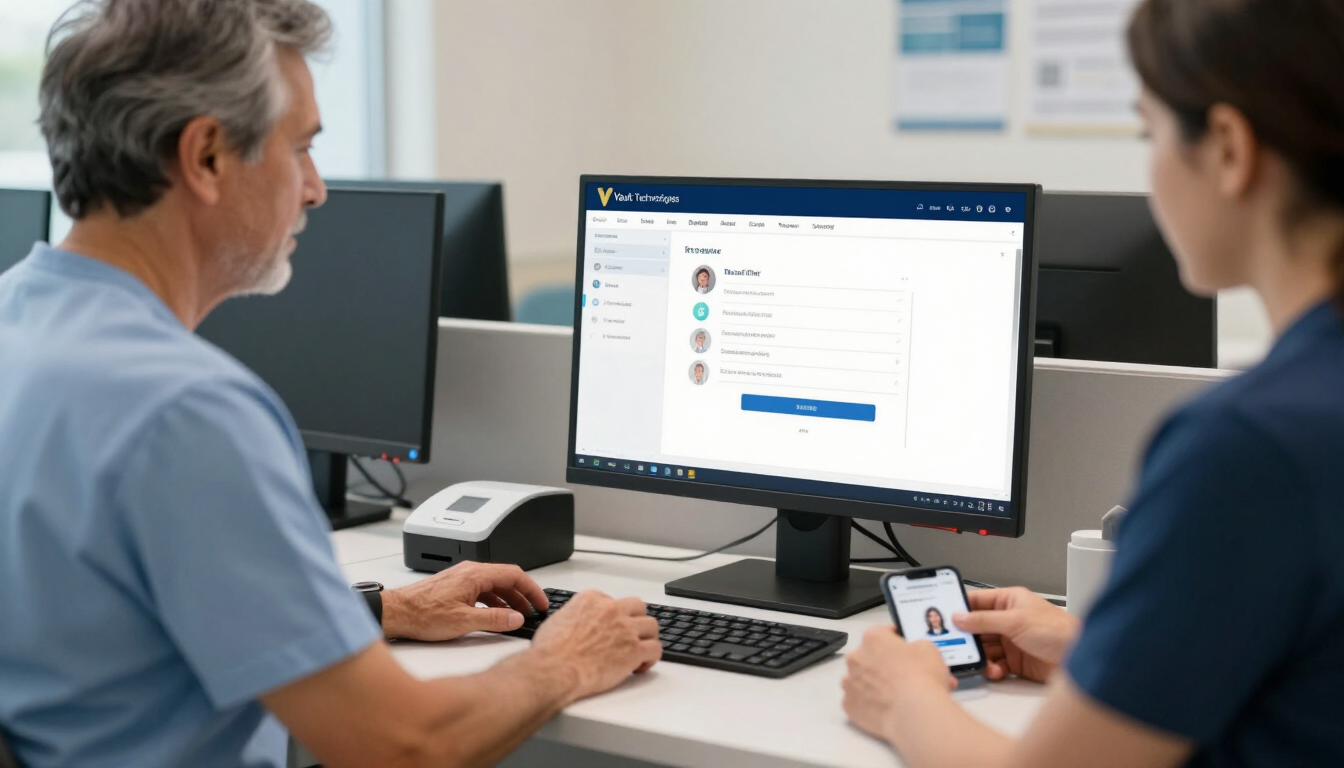
Healthcare employees can share workstations without sharing user accounts. Learn how individual identities protect access, records, and care continuity.

The CareCloud breach affected 3.75 million people. Learn what medical practices should verify about EHR vendors, data access, downtime, and recovery plans.

Fake IT help-desk calls are targeting healthcare. Learn how to verify support requests, protect Microsoft 365 access, and respond to suspected credential theft.

Amgen confirmed patient PHI was taken from third-party cloud environments. Learn five practical cloud security checks for healthcare organizations of every size.

This is a subtitle for your new post

N-central attacks reached managed endpoints. See what healthcare organizations should verify with their MSP after CVE-2026-18577 was actively exploited now.

A January 2025 ransomware attack on a Maryland medical group exposed 934,000 patient records and triggered class-action lawsuits. See what proactive IT management would have changed.
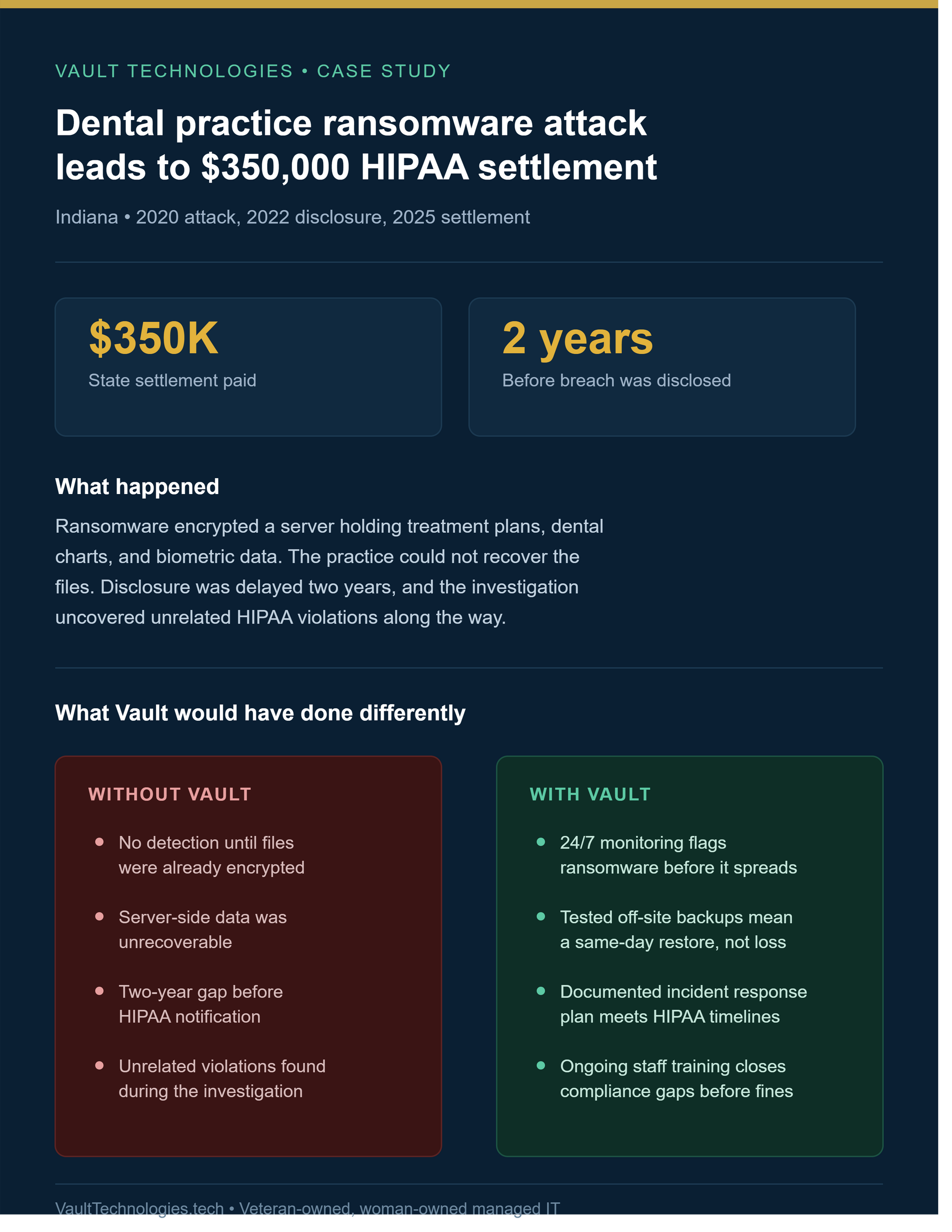
A 2020 dental ransomware attack led to a $350,000 HIPAA settlement after a 2-year disclosure delay. See what proactive monitoring and incident response would have changed.